
Welcome to my Portfolio at Red Rose Web Design
Looking at my Previews you will see how this Framed Page Split
THE HEADER IMAGE IS THE FULL PREVIEW
(resized to show previews)
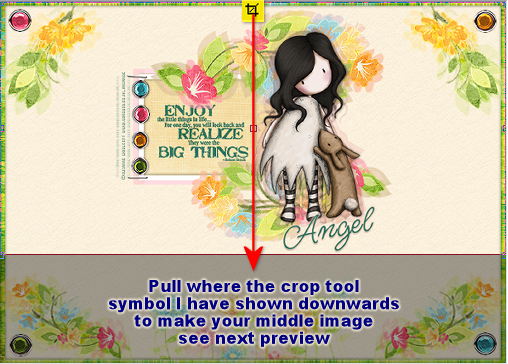
This is PREVIEW 2 showing you where to place the outline using the crop tool -
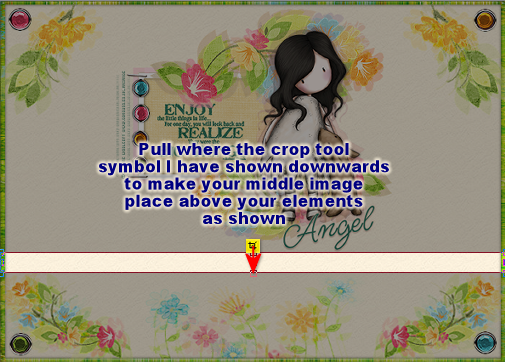
PREVIEW 3
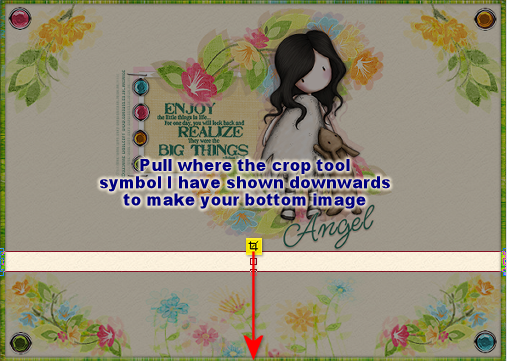
PREVIEW 4 - Repeat steps from Preview 2 instructions
PREVIEW 5 - Repeat steps from Preview 2 instructions
HERE IS THE FINAL RESULTS FRAMED PAGE SPLIT-UP
TOP Graphic Framed Page
MIDDLE Graphic Framed Page
BOTTOM Graphic Framed Page
I hope that you enjoyed Lesson 10
Please feel free to Contact Me
Designed by AngelAD taught by "Red Rose Web Design 2007 / 2008"
Lesson 10 Framed Page 2
was created into 3 sections: Top, Middle, Bottom

Double Click and Save as a png and name this Top
(saving as a png gives the transparent background and also giving image
name Top makes it easier to locate in your files to upload to your site)

Place Your Cursor Over Each Top, Middle and Bottom Section